
Emergency notification systems fall into three primary categories: nationally available public alerting systems operated by government agencies (FEMA/IPAWS, EAS, WEA, and NOAA/NWS), local and regional channels run by jurisdictions and communities (Reverse 911/ETNS, outdoor sirens, digital signage), and private enterprise Mass Notification Systems (MNS) deployed by organizations to reach their own people.
- National public systems (IPAWS, EAS, WEA, NOAA/NWS): best for wide-area reach, mandatory broadcast coverage, and government-authorized emergency messaging to the general public.
- Local/regional systems (ETNS/Reverse 911, sirens, variable message signs): best for geographically targeted community alerts, fast-onset outdoor hazards, and traffic management.
- Enterprise MNS (Everbridge, Omnilert, AlertMedia, Rave Alert, and similar platforms): best for organizations needing targeted, multichannel alerts to employees, visitors, or students with two-way status reporting and sensor-driven automation.
Understanding which category applies to your situation is the first decision. Everything else, including channel selection, vendor evaluation, and compliance requirements under NFPA 72, follows from that.
Table of Contents
- What are the different types of emergency notification systems?
- How do national public alerting systems work?
- What local and regional alerting options are available?
- How do enterprise Mass Notification Systems compare?
- How does an alert actually get from sender to recipient?
- How do you choose the right system for your situation?
- What do emergency notification systems typically cost?
- Why fire alarm integration matters for building-level notification
- Key Takeaways
- The case for layered alerting over any single system
- Preactionfire helps Denver facilities close the notification gap
- Authoritative sources and further reading
What are the different types of emergency notification systems?
An emergency notification system (ENS) is any technology or process that moves a warning message from an authorized originator through a distribution network to the people who need to act on it. The Department of Energy’s operational definition frames it simply: a system that provides timely notification to personnel of an emergency condition. That three-part flow, origination, distribution, and reception, applies whether the system is a federal broadcast network or a cloud-based campus app.
The public vs. private split matters because the two categories have fundamentally different operators, audiences, and obligations.
- Public systems — are operated by federal, state, and local government agencies. Their mandate is to reach the general public, often across large geographic areas, using infrastructure that broadcasters and wireless carriers are legally required to carry. Reliability and reach are their strengths; granular targeting and two-way communication are not.
The regulatory and standards context reinforces this distinction. Public alerting runs under FEMA/IPAWS authority and uses the Common Alerting Protocol (CAP) as its interoperability standard. Building-level notification systems must meet NFPA 72 requirements for notification appliance circuits, fault reporting, and monitoring. Enterprise MNS platforms operate under OSHA emergency preparedness obligations and organizational policy. Each layer has its own governance, and none of them fully replaces the others.
How do national public alerting systems work?
The backbone of national public alerting in the United States is FEMA’s Integrated Public Alert and Warning System (IPAWS). IPAWS is not itself a broadcast channel. It is the aggregation and authentication infrastructure that authorized alerting authorities, including federal agencies, state emergency managers, and local officials, use to push messages simultaneously across EAS, WEA, and NOAA dissemination services. Think of it as the router: you send one CAP-formatted message to IPAWS, and it distributes to every connected channel at once.
Emergency Alert System (EAS)
EAS is the broadcast-based channel. Television stations, cable systems, radio broadcasters, and satellite providers are required by FCC rules to interrupt programming and carry EAS messages. The Presidential Alert level can reach virtually every broadcast receiver in the country within minutes. State and local EAS alerts are more targeted, relying on a daisy-chain relay structure where local broadcasters retransmit messages from the primary entry point for their area. The practical constraint: EAS reaches people who are watching TV or listening to the radio. Someone driving with a podcast or working at a desk with headphones on may miss it entirely.
Wireless Emergency Alerts (WEA)
WEA messages are broadcast to WEA-enabled mobile devices in a geographically targeted area through commercial wireless networks. They appear automatically on the device screen with a distinctive tone and vibration pattern, no app download or opt-in required. WEA covers three alert categories: Extreme and Severe weather threats, AMBER alerts for child abductions, and Presidential alerts for national emergencies.
The geo-targeting works at the cell-broadcast level, meaning the alert goes to every compatible device connected to towers serving the target area. That produces some overshoot at the edges of a polygon, though FEMA has progressively improved geographic precision over successive WEA versions. Character limits apply: older WEA messages have a shorter character cap, while enhanced WEA supports longer messages and can include embedded URLs and phone numbers for devices that support the standard.
NOAA/NWS services
The National Weather Service operates its own dissemination infrastructure, including NOAA Weather Radio All Hazards (NWR), a nationwide network of radio stations broadcasting continuous weather information and warnings. NWR signals are also fed into IPAWS, so a severe thunderstorm warning issued by a local NWS forecast office can simultaneously trigger EAS interruptions on local broadcast stations and WEA pushes to mobile devices in the warned area. For weather-specific threats, NWS is often the originating authority even when the message reaches the public through EAS or WEA.
When national public systems are the right choice:
- Wide-area evacuations (wildfire, hurricane, chemical release)
- AMBER alerts requiring broad geographic reach
- Severe weather warnings covering multiple counties
- Presidential or national security emergencies
- Situations where the affected population is unknown and dispersed
What local and regional alerting options are available?
National systems cast a wide net. Local systems let jurisdictions and facility operators aim more precisely, though each channel comes with its own trade-offs.
Reverse 911 and Emergency Telephone Notification Systems (ETNS)
ETNS, commonly called Reverse 911, works by matching phone numbers to geographic addresses and placing automated calls or sending texts to people in a defined area. Traditional systems used landline databases maintained by phone carriers. The problem is that landline penetration has dropped sharply, and wireless and VoIP numbers are not automatically included. Most jurisdictions now run opt-in registration portals so cell phone users can add their numbers to the local database. CISA’s guidance on alerts, warnings, and notifications explicitly flags this registration gap as a limitation that communities need to address through public outreach.
CodeRED is one of the widely deployed ETNS platforms in the United States, used by many counties and municipalities. It supports voice calls, SMS, and email delivery to registered contacts within a drawn geographic boundary.
Outdoor warning sirens
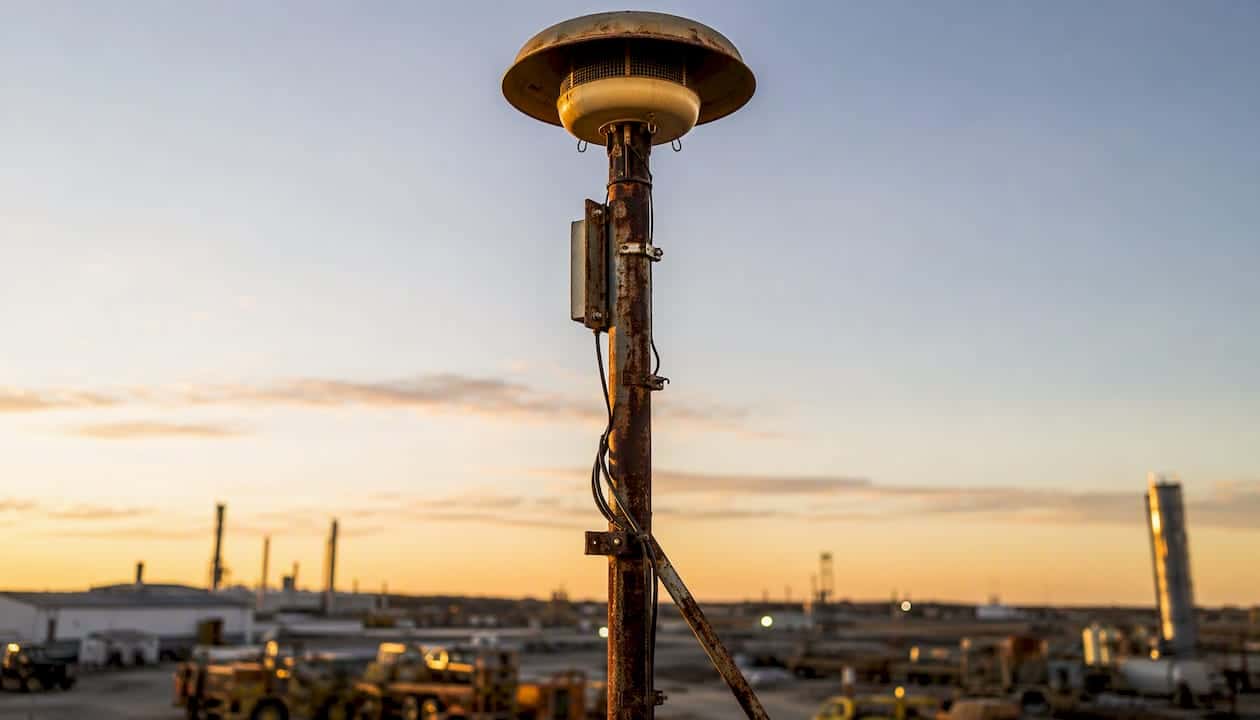
Sirens are fast and require no device, no power at the receiver, and no prior registration. For fast-onset outdoor hazards like tornadoes, they remain one of the most effective first-alert tools available. Their limits are just as clear: they provide no message content (just a tone), they perform poorly indoors, and they depend entirely on grid power or battery backup. A siren that has not been tested recently and whose battery backup has degraded is a liability, not an asset.
Digital signage and variable message signs (VMS)
Highway variable message signs, controlled by state DOTs, redirect traffic during evacuations and communicate road closures in real time. Campus and building digital signage can display emergency instructions and override normal content during an incident. These channels are highly visible in the right context but reach only people who are physically present and looking at the sign.
Pros and cons by local channel:
| Channel | Pros | Cons |
|---|---|---|
| ETNS / Reverse 911 | Geographic targeting, voice + SMS delivery | Requires registration for cell/VoIP users |
| Outdoor sirens | No device needed, fast activation | No message content, poor indoor coverage |
| Digital signage / VMS | High visibility, real-time updates | Reaches only people physically present |
How do enterprise Mass Notification Systems compare?
Organizations commonly conflate government EAS and WEA with enterprise MNS. They serve different purposes. Public alerts reach the general public; an MNS reaches the people who are on your payroll, enrolled in your institution, or checked into your facility, regardless of whether a government alert has been issued. OSHA’s emergency preparedness standards require employers to maintain reliable employee alarm and notification procedures, which is a compliance driver that public alerting alone cannot satisfy.
Cloud SaaS vs. on-premise platforms
Cloud-based MNS platforms (Everbridge, AlertMedia, Rave Alert, Omnilert) deliver messages through internet-connected infrastructure managed by the vendor. Setup is faster, updates are automatic, and geographic reach is essentially unlimited. The trade-off: if your internet connection goes down during the incident, so does your primary notification path unless the vendor has redundant routing.
On-premise notification management platforms run on hardware inside your facility. They can integrate directly with local fire panels, PA systems, and access control without depending on an outside network. They cost more to install and maintain, but they keep functioning when the internet does not.
Core features and evaluation dimensions
| Dimension | Cloud SaaS MNS | On-Premise MNS | Hybrid |
|---|---|---|---|
| Operator type | Organization (vendor-hosted) | Organization (self-hosted) | Organization (split) |
| Typical reach/scale | Enterprise-wide to global | Campus or facility | Flexible |
| Channels supported | SMS, voice, email, push, desktop, social | PA, IP speakers, signage, SMS via gateway | All of the above |
| Speed/latency | Seconds (internet-dependent) | Sub-second (local network) | Varies by channel |
| Targeting granularity | Opt-in lists, geo-fencing | Zone/floor/building | Both |
| Automation/integrations | API, sensor feeds, weather triggers | Fire panels, access control, contact closures | Both |
| Two-way support | Yes (reply, status check-in) | Limited (depends on hardware) | Yes |
| Cost model | SaaS subscription (per user/endpoint) | Appliance + installation + maintenance | Mixed |
Must-have features checklist:
- Multichannel delivery (SMS, voice, email, desktop pop-up, PA, digital signage)
- Two-way communication and employee status reporting
- Geo-fencing and zone-based targeting
- Integration with fire alarm panels and access control systems
- Automated triggers from sensor feeds (fire panels, weather APIs, panic buttons)
- Audit logs and message delivery confirmation
- Redundant delivery paths and failover routing
- Regular testing capability and test scheduling
How does an alert actually get from sender to recipient?
Every alert, whether a WEA push or an enterprise MNS message, follows the same basic workflow: origination, formatting and authentication, distribution, and reception.
Origination: An authorized sender, a FEMA-approved alerting authority for public systems, or a designated administrator for an enterprise MNS, composes and initiates the message. For public alerts, only entities with IPAWS credentials can originate messages through that system. For enterprise MNS, access controls and role-based permissions govern who can send.
Formatting and authentication: Public alerts are formatted in CAP (Common Alerting Protocol), an XML-based standard that carries the message content, geographic target, severity, urgency, and certainty fields in a machine-readable format. CAP is what allows IPAWS to simultaneously route a single message to EAS, WEA, and NWS dissemination services without reformatting. Enterprise MNS platforms use their own message schemas but increasingly support CAP ingestion so they can receive and relay public alerts automatically.
Distribution: The formatted message moves through distribution networks. For EAS, that means broadcast stations and cable headends. For WEA, it means cell broadcast towers. For enterprise MNS, it means the vendor’s delivery infrastructure (SMTP servers, SMS gateways, SIP trunks for voice, WebSocket connections for desktop clients).
Reception: The message arrives at endpoints: TV and radio receivers, mobile devices, desktop computers, IP speakers, strobes, and digital signs. Reception quality depends on device compatibility, network connectivity, and whether the endpoint is powered.
Key standards and protocols:
- FEMA/IPAWS: — Federal integration point and credentialing authority for public alerting
- OSHA 1910.38: — Employer obligation for employee alarm systems in workplaces
Common failure modes: Power outages knock out sirens and on-premise hardware without battery backup. Internet disruptions interrupt cloud MNS delivery. Cell network congestion during a mass-casualty event can delay WEA delivery. Geo-fencing errors send alerts to the wrong population. Unregistered cell numbers miss ETNS calls. None of these are hypothetical; all have occurred in documented real-world events.
How do you choose the right system for your situation?
The right answer depends on who you are trying to reach, where they are, and what you need them to do when they receive the alert. Work through these steps before evaluating any vendor or channel.
- Define your audience and reach. Are you alerting the general public across a county, employees in a single building, or students across a multi-building campus? National public systems handle the first; an MNS handles the second and third.
- Identify the channels your audience actually uses. A workforce that is largely mobile and outdoors needs voice calls and SMS. An office population benefits from desktop pop-ups. A mixed environment needs all of them.
- Decide on targeting granularity. Do you need to alert everyone in a ZIP code, or just the people on the third floor of Building B? Geo-fencing and zone-based targeting in an MNS give you the second option; public systems do not.
- Assess integration needs. Does your fire alarm panel need to automatically trigger the MNS? Do you need badge-location data to target alerts by where people actually are? Integration complexity is a major cost and timeline driver.
- Set automation and two-way requirements. Automated triggers from fire panels, weather APIs, or panic buttons reduce response time. Two-way status reporting speeds headcounts. Both are standard in modern cloud MNS platforms.
- Build a test and maintenance plan before you buy. A system that is never tested is a system you cannot trust. Ask vendors how testing works, what it costs, and whether tests can be scheduled automatically.
- Check compliance requirements. OSHA emergency preparedness rules apply to most workplaces. NFPA 72 governs building notification appliances. Some industries (healthcare, higher education) carry additional notification obligations.
- Set your budget model. SaaS subscriptions scale with users or endpoints and carry lower upfront costs. On-premise systems require hardware investment and ongoing maintenance but may be more cost-effective at large scale over time.
Questions to ask vendors or local authorities:
- What is the guaranteed message delivery time from send to receipt?
- How does the system behave when internet connectivity is lost?
- What integrations are supported out of the box vs. requiring custom development?
- How is geo-targeting configured and what is the minimum polygon size?
- What testing and drill features are included, and how are they logged?
- What certifications does the installation team hold (NICET, manufacturer-specific)?
Who should own the system: For public alerting, that is your county or state emergency management office. For enterprise MNS, designate a primary administrator and at least one backup. Combine public and private channels deliberately: public alerts handle the broad population; your MNS handles the people you are responsible for.
What do emergency notification systems typically cost?
Cost varies enormously by scale, channel breadth, and integration complexity. The models below reflect typical structures, not specific vendor pricing.
Common cost models:
- SaaS subscription: Priced per user, per endpoint, or per message volume. Lower upfront cost, predictable annual expense, vendor manages infrastructure. Typical for cloud MNS platforms like Everbridge, AlertMedia, and Rave Alert.
- On-premise appliance licensing: One-time or annual license for the notification management software, plus hardware procurement and installation labor. Higher upfront, lower ongoing fees.
- Integration labor: Connecting an MNS to fire panels, PA systems, access control, and digital signage adds project cost. Complexity depends on the age and type of existing hardware.
- Ongoing monitoring and maintenance: Central station monitoring for fire alarm systems, annual inspections, firmware updates, and battery replacements are recurring costs that are often underestimated in initial budgets.
Primary cost drivers:
- Number of channels supported (each additional channel adds licensing and integration cost)
- Integration complexity with existing building systems
- Hardware retrofits for older facilities (IP speakers, strobes, network infrastructure)
- Required certifications and inspections (NICET-qualified labor, AHJ permits)
- Monitoring SLA tier (24/7 UL-listed central station vs. self-monitoring)
- Geographic spread (single building vs. multi-site enterprise)
Deployment timeline guidance:
- Small deployment (single building, cloud MNS, minimal integration): 4–8 weeks from contract to go-live.
- Mid-size deployment (campus or multi-building, fire panel integration, PA tie-in): 3–6 months including design, permitting, installation, and testing.
- Enterprise deployment (multi-site, full integration stack, custom workflows): 6–18 months, depending on procurement cycles, existing infrastructure complexity, and required certifications.
Why fire alarm integration matters for building-level notification
A standalone MNS and a standalone fire alarm system are each useful. Connected, they are significantly more effective. When a fire alarm panel detects smoke or heat, it can automatically trigger the MNS to send targeted alerts to the affected zone, notify central station monitoring, and initiate a controlled evacuation sequence, all without a human having to make a phone call first. That automation closes the gap between detection and notification, which is where lives are saved.
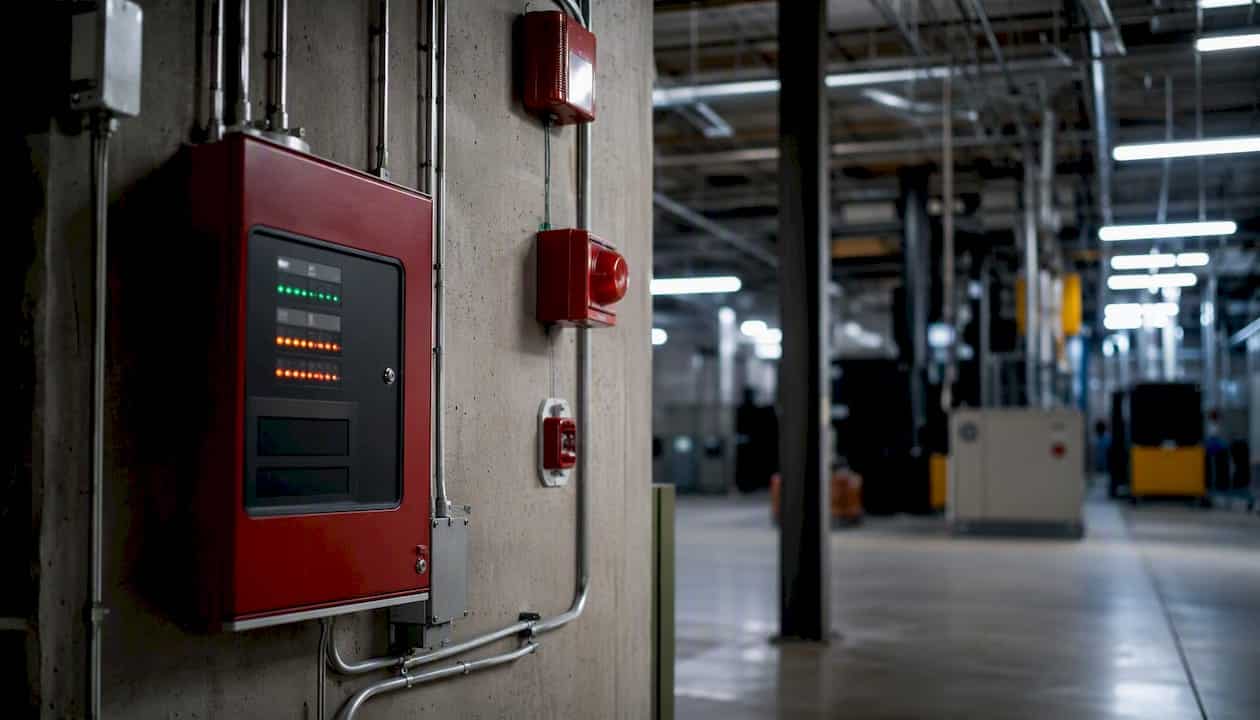
NFPA 72, the National Fire Alarm and Signaling Code, sets the requirements for notification appliance circuits, audibility levels, visual notification devices, fault reporting, and monitoring. Any building-level notification integration must be designed and installed to meet these standards, and the installation must be performed by or under the supervision of NICET-certified technicians. Skipping that step does not just create a compliance problem; it creates a system that may not perform as designed when it matters.
Common integration points for building-level notification:
- Fire alarm control panels (FACP) with contact closure or IP outputs
- Central station monitoring receivers (UL-listed, 24/7 supervision)
- Access control systems (lock/unlock doors, restrict elevator access)
- Badge and location feeds (target alerts by where people actually are)
- IP speakers and strobes (zone-specific audio and visual notification)
- Panic buttons and duress inputs (manual trigger for security events)
- Digital signage controllers (display evacuation routes and instructions)
Pro Tip: Reserve your highest-intrusiveness channels, loud PA blasts and phone calls, for life-safety events only. Route routine operational messages (shift reminders, weather advisories) through lower-intrusiveness channels like email or desktop notifications. Alert fatigue is real: when every message sounds like an emergency, people stop treating emergencies like emergencies.
Installation checklist:
- NICET-certified technicians for design and installation
- AHJ (Authority Having Jurisdiction) permit pulled before work begins
- Backup power (battery and/or generator) for all notification hardware
- Automated self-test scheduling with logged results
- Central station monitoring contract with documented response protocols
- Post-installation inspection and acceptance testing per NFPA 72
For fire alarm monitoring that ties directly into your building’s notification infrastructure, the monitoring contract should specify response times, escalation procedures, and the exact signals the central station will receive and act on.
Key Takeaways
Emergency notification systems work best when public alerting, local channels, and enterprise MNS are layered together, because no single system reaches every person in every situation.
| Point | Details |
|---|---|
| Three-category taxonomy | Public national systems, local/regional channels, and enterprise MNS each serve a distinct audience and use case. |
| Public vs. enterprise MNS | Public systems (IPAWS/EAS/WEA) reach the general public; an MNS is required to reach your own employees or occupants. |
| Top procurement priorities | Evaluate channel breadth, fire panel and access control integrations, and built-in testing capability before signing any contract. |
| NFPA 72 compliance | Building-level notification appliances must meet NFPA 72 requirements and be installed by NICET-certified technicians. |
| Preactionfire for Denver facilities | Preactionfire designs and installs NFPA-compliant fire alarm and notification systems for commercial buildings in the Denver Metro Area, with NICET-certified technicians and central station monitoring. |
The case for layered alerting over any single system
The most common mistake organizations make is treating emergency notification as a solved problem once they have deployed one system. A county that has WEA coverage assumes its residents are covered. A company that has an MNS subscription assumes its employees are covered. Neither assumption holds under real conditions.
WEA reaches people with compatible phones on functioning cell networks. It does not reach the employee in the server room with their phone on silent, or the visitor who has not registered with your ETNS, or the person in the stairwell when the PA system is offline. The organizations that handle emergencies well are the ones that have thought through every gap in their coverage and filled it with a complementary channel.
From a fire-protection standpoint, the integration between building fire alarm systems and enterprise MNS is where the most value is left on the table. Most facilities have a fire alarm panel that detects and annunciates locally. Far fewer have that panel connected to an MNS that can simultaneously send targeted SMS alerts to occupants, notify central station monitoring, and display evacuation instructions on digital signage, all triggered automatically. That gap is a design choice, and it is one that NFPA 72 and NICET-qualified installation teams exist to close.
The compliance piece matters too, but not just for its own sake. NFPA 72 requirements for audibility, visual notification, and fault reporting exist because those are the conditions under which notification systems actually work during an event. Meeting the standard is not bureaucratic box-checking; it is the minimum threshold for a system that performs when tested by a real emergency.
If your facility’s notification systems have not been audited recently, that is the right place to start.
Preactionfire helps Denver facilities close the notification gap
Denver-area facility managers and property owners have a specific challenge: Colorado’s mix of severe weather, wildfire smoke events, and dense commercial development means that relying on public alerting alone leaves real gaps in occupant protection. Preactionfire has been designing and installing NFPA-compliant fire alarm and notification systems for commercial and industrial buildings in the Denver Metro Area since 2009.
The services that map directly to what this article covers include fire alarm system design and integration with building notification appliances, central station monitoring with 24/7 UL-listed supervision, NFPA compliance inspections, and retrofit installations for facilities that need to bring older systems up to current code. Every project is staffed by NICET-certified technicians who understand both the technical integration requirements and the AHJ permit process in Colorado.
If your building’s fire alarm panel is not connected to your broader notification infrastructure, or if your last compliance inspection was more than a year ago, a site assessment is the logical next step. Contact Preactionfire for a fire alarm system design consultation or a compliance audit for your Denver-area facility.
Authoritative sources and further reading
The sources below are the primary references for the standards, systems, and guidance covered in this article.
- Integrated Public Alert and Warning System (IPAWS) — FEMA
- Essentials of Alerts, Warnings, & Notifications — CISA
- NFPA 72 — National Fire Alarm and Signaling Code
- Wireless Emergency Alerts — FEMA
- Alerts — Ready.gov
- National Weather Service — weather.gov
- Emergency notification system (ENS) — directives.doe.gov
- Emergency Preparedness — OSHA